 Geophysics · Seismology
Full-waveform near-surface site characterization
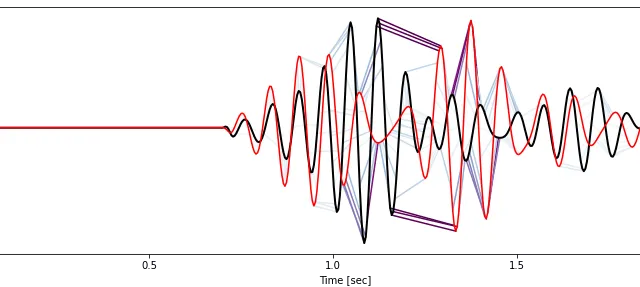
The updated model explains the major observed waveform features and reveals near-surface velocity structure.
Read the Case StudyProducts / Salvus
Salvus is a software suite for waveform modeling and full-waveform inversion. It solves the full wave equation in 2-D and 3-D, from millimetre-scale ultrasonic tests to planetary-scale earthquake simulations.
Salvus is a Python library that has its performance-critical parts written in C++ and CUDA. Most users interact with Salvus using Jupyter notebooks or Python scripts.
For inverse problems, compare predicted and measured signals and use the differences to update material properties. Built-in processing and optimization tools work alongside your own Python code, so you can adapt the workflow to a new research question or automate a recurring study.
You control the solver, meshing, optimization, and workflow management through Python, on a laptop, the cloud, or an HPC system.
A spectral-element solver of arbitrary order, written in C++ and CUDA. It runs on CPUs and GPUs and scales from a laptop to a supercomputer.
Makes conforming quad and hex meshes and refines elements automatically to match the wavelength. It supports topography, bathymetry, layered models, and meshes that adapt to the data or the solution.
Defines acoustic and elastic materials, from isotropic to triclinic, with optional attenuation through linear solids and material orientation.
Runs simulations on local and remote machines. It validates input files, moves input and output data, and watches job queues. You get the same Python interface on all hardware.
A non-linear optimization toolbox for full-waveform inversion (FWI). It includes misfit functions, regularization on unstructured meshes, smoothing that depends on wavelength and direction, trust-region and L-BFGS methods, and automatic step lengths.
Manages data, models, simulations, and inversions in one project, making the work reproducible and easy to share.

Prototype in 2-D and use the same Python interface for 3-D models. Choose the dimensionality needed to represent your experiment.


Represent coupled fluid and solid regions, attenuation, and anisotropic material properties to capture the wave interactions relevant to your problem.
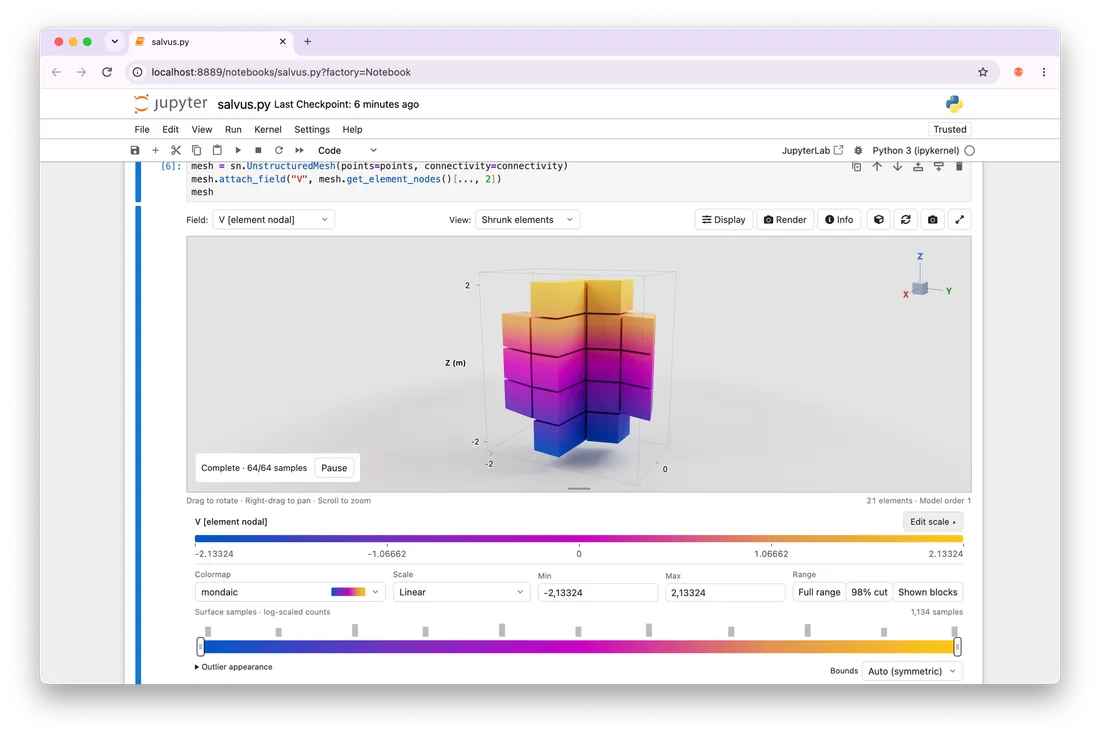
Work in Cartesian, curvilinear, and unstructured domains. Use conforming quadrilateral and hexahedral meshes, including curved interfaces, topography, and bathymetry.


Work on a laptop or workstation, then run larger jobs on CPU or GPU resources, remote machines, and HPC clusters.
Research groups and R&D teams who want full control of their workflows and who write code. Applications include seismology, subsurface imaging, borehole acoustics, medical ultrasound, and NDT.
For NDT-specific tools and a graphical application, explore W-Scan. W-Scan is a UI and workflow add-on to Salvus, so Python users can use both together.
 Geophysics · Seismology
The updated model explains the major observed waveform features and reveals near-surface velocity structure.
Read the Case Study Geophysics · DAS
The example generates synthetic DAS data in a few minutes on a single NVIDIA GeForce RTX 2060 GPU.
Read the Case Study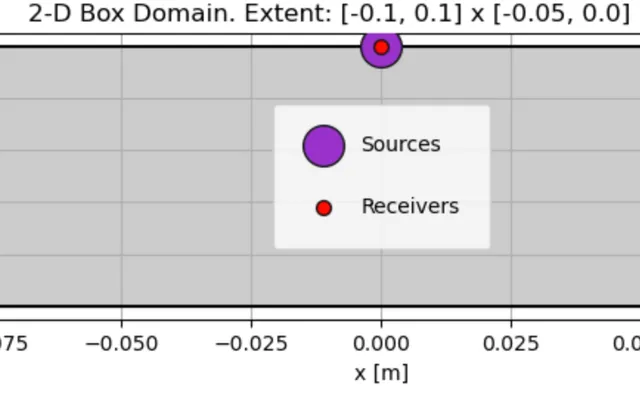 NDT · Inspection
The example shows how the reflector signal weakens; each simulation took less than 25 seconds on a 2024 MacBook Air.
Read the Case StudySalvus is a software suite for waveform modeling and full-waveform inversion (FWI). It solves the full wave equation in 2-D and 3-D, from millimetre-scale ultrasonic tests to the whole Earth. It is a Python library with performance-critical parts in C++ and CUDA. Most users work in scripts or Jupyter notebooks.
Salvus focuses on wave propagation and combines mesh generation, simulation, measurement processing, and inversion within a Python workflow. This is useful when you need to compare models with recorded data or automate repeated simulations. The best comparison depends on the physics, geometry, accuracy, and hardware required by your application. Our case studies show concrete setups and results.
Salvus runs on Windows, Linux, and macOS operating systems:
Salvus supports NVidia CUDA GPUs with CUDA ≥ 12.
On MPI clusters, Salvus requires an MPI ABI compatible MPI.
Small Salvus simulations do not require large computational resources and almost any machine is able to run them. For larger simulations and inversions, Salvus benefits heavily from NVidia GPUs (FP32 compute and memory are the key performance indicators), fast and many CPU cores, a large amount of fast memory, and fast SSD storage.
Licensing depends on the package, scale of use, compute resources, and support you need. Compare Salvus packages and licensing, then contact us for a quote. Academic licensing options are available.
A digital twin is a model of an object or environment that can be used to simulate an experiment. In our workflows, recorded waveforms can be compared with the predictions and used to refine the source description, material properties, or geometry. The concrete retaining-wall study illustrates how that connection between model and measurement works.
Salvus uses spectral-element methods and parallel CPU and NVIDIA GPU computing for wave propagation. Runtime depends on the mesh, resolved frequency, duration, physics, requested output, and hardware.
For a documented example, the GFRP attenuation study reports simulations under 25 seconds on a 2024 MacBook Air. The marine DAS example reports a three-dimensional simulation taking a few minutes on a single NVIDIA GeForce RTX 2060 GPU. These timings apply to the setups described in each study.
Salvus scales across CPU cores, GPU accelerators and HPC resources. The furthest Salvus has been pushed was by researchers from ETH Zurich and the Barcelona Supercomputing Center, who joined forces to simulate the Mw 7 earthquake that struck the Icarian Sea on October 30, 2020, with the epicenter about 14 km northeast of the Greek island of Samos.
The resulting spectral-element mesh contained almost 215 million elements, which gives more than 1.5 trillion unknowns — and these are only the space-dependent degrees of freedom. The time integration additionally required more than 100’000 time steps. Multiplying the degrees of freedom in space and time gives a total of 164 664 116 147 707 904 unknowns. Read more in the blog post.
Most waveform solvers can only work on regular grids. Salvus natively supports arbitrary conforming quadrilateral and hexahedral meshes, allowing complicated settings and domains using curvilinear and fully unstructured meshes.
Significant discounts exist for academic users of Salvus. This includes users working within universities, government organizations, research labs and non-profits. Contact us for more information.
Yes, Salvus is designed to equivalently support performant 2D simulations and highly accurate 3D simulations with an identical user interface. This allows moving from rapid prototypes to production runs with ease.
Tell us about your application, users, and compute resources. We offer commercial and academic licensing options.
Packages and LicensingFollow the instructions for your operating system, Python environment, and compute setup.
Installation and DownloadsWork through Lamb’s problem, then choose tutorials for your own application.
First Simulation TutorialNeed NDT tools or a visual interface? Explore W-Scan. Need help developing a workflow? Work With Our Team.
Let's Work Together
Tell us what you need to model or understand. We can help you choose software, plan a study, or work with your measurements.